
Difference between POP3, IMAP or Microsoft Exchange

Bejoy Peter • May 22, 2020

Which Do I Use to Set Up My Email?

POP3, Post Office Protocol

POP, or Post Office Protocol, is a way of retrieving email information that dates back to a very different Internet than we use today. Computers only had limited, low bandwidth access to remote computers, so engineers created POP in an effort to create a dead simple way to download copies of emails for offline reading, then remove those mails from the remote server. The first version of POP was created in 1984, with the POP2 revision created in early 1985.


POP3 is the current version of this particular style of email protocol, and still remains one of the most popular. Since POP3 creates local copies of emails and deletes the originals from the server, the emails are tied to that specific machine, and cannot be accessed via any webmail or any separate client on other computers. At least, not without doing a lot of email forwarding or porting around mailbox files.


While POP3 is based on an older model of offline email, there’s no reason to call it obsolete technology, as it does have its uses. POP4 has been proposed, and may be developed one day, although there’s not been much progress in several years.


IMAP, Internet Message Access Protocol

IMAP was created in 1986, but seems to suit the modern day world of omnipresent, always-on Internet connectivity quite well. The idea was keep users from having to be tied to a single email client, giving them the ability to read their emails as if they were “in the cloud.”


Compared to POP3, IMAP allows users to log into many different email clients or webmail interfaces and view the same emails, because the emails are kept on remote email servers until the user deletes them. In a world where we now check our email on web interfaces, email clients, and on mobile phones, IMAP has become extremely popular. It isn’t without its problems, though.


Because IMAP stores emails on a remote mail server, you’ll have a limited mailbox size depending on the settings provided by the email service. If you have huge numbers of emails you want to keep, you could run into problems sending and receiving mail when your box is full. Some users sidestep this problem by making local archived copies of emails using their email client, and then deleting them from the remote server.


Microsoft Exchange, MAPI, and Exchange ActiveSync

Microsoft began developing MAPI (sometimes called Messaging API) not long after IMAP and POP were first developed, although it has uses beyond simple email. Thoroughly comparing IMAP and POP to MAPI is pretty technical, and out of scope for many readers of this article. Simply put, MAPI is a way for applications and email clients to communicate with Microsoft Exchange servers, and is capable of IMAP style syncing of emails, contacts, calendars, and other features, all tied into local email clients or applications. This function of syncing emails is branded by Microsoft as “Exchange ActiveSync.” Depending on what device, phone, or client you use, this same technology might be called any of the three Microsoft products (Microsoft Exchange, MAPI, or Exchange ActiveSync), but will offer the same cloud-based email syncing as IMAP.


Because Exchange and MAPI are Microsoft products, only companies that own their own Exchange mail servers or use Windows Live Hotmail will be able to use Exchange. Many clients, including the default Android mail client and iPhone, are Exchange ActiveSync capable, giving Hotmail users IMAP style cloud-based email, despite Hotmail not offering true IMAP functionality.


In Short: Which Do I Use to Set Up My Email ?


Depending on your personal style of communicating and whom you prefer to get your email service from, you can pretty quickly narrow down how you should use your email.


  • If you use check your email from a lot of devices, phones, or computers, set up your email clients to use IMAP
  • If you use mostly webmail and want your phone or iPad to sync with your webmail, use IMAP, as well
  • If you’re using one email client on one dedicated machine (say, in your office), you might be fine with POP3, but we’d recommend IMAP
  • If you have a huge history of email and you’re using an old mail provider without a lot of drive space, you may want to use POP3 to keep from running out of space on the remote email server
  • If you use Hotmail or an Exchange Server Email, MAPI or Exchange ActiveSync will give you similar cloud-based syncing, like IMAP
  • If you don’t use Hotmail and you want email sync, use IMAP. If you do use it and want email sync, use MAPI/Exchange ActiveSync


Hopefully that’s dispelled a lot of your questions regarding these common ways we receive email data with our phones and computers.


We the hope the article adds value to your business communication!


Best,

Bejoy Peter- Digital Creator & Communications Strategist

Email: info@VisionKraft.com | Phone: +91 9850 555 795


Vision Kraft Media Works Pvt. Ltd.

- the perception management tools company!
By Bejoy Peter June 12, 2026
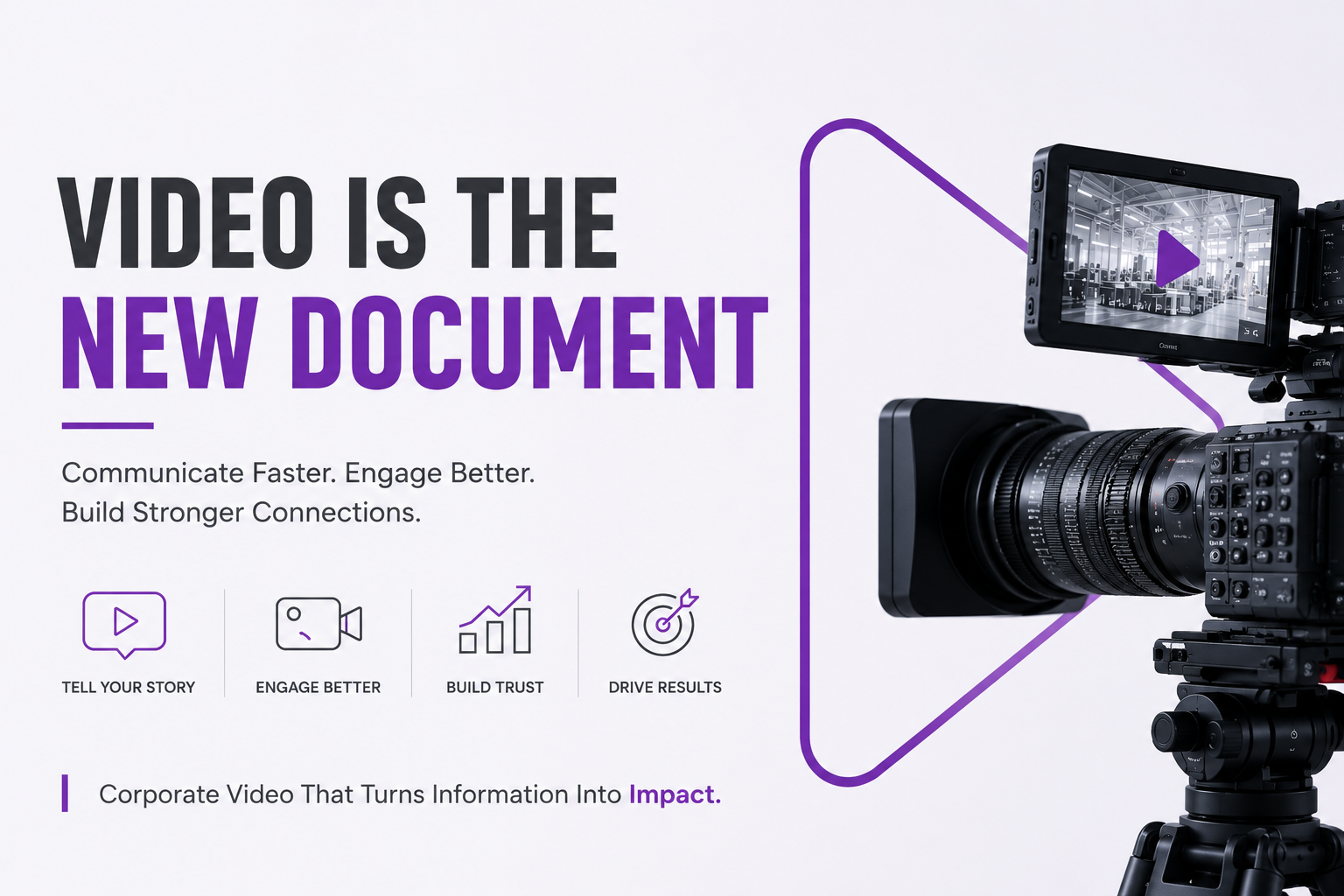
Video is the New Document: Why Modern Businesses Must Communicate Through Video
By Bejoy Peter April 2, 2026
For decades, manufacturing businesses have relied on relationships, referrals, and repeat clients to drive growth. And while those channels still matter, the buying journey has fundamentally changed.
By Bejoy Peter January 17, 2026
AI enhances manufacturing brands by refining strategies & insights. Learn how to leverage AI for better branding today!
By Bejoy Peter July 30, 2025
Going public is one of the most significant milestones for any company. An Initial Public Offering (IPO) is not just a financial event—it’s a brand-defining moment. While balance sheets and business models matter, investors buy into a company’s story, credibility, and promise of long-term value. That’s why branding and marketing should be treated as mission-critical pillars of your IPO readiness strategy.
By Bejoy Peter February 17, 2025
Elevate Your Brand with Strategic Spatial and Visual Branding Solutions
Three luxury cars lined up, including a red sports car and teal and silver Bentleys, on pavement.
By Bejoy Peter December 12, 2020
Understand why your brand's public perception is crucial. Enhance your corporate image with effective strategies. Contact us today!
By Bejoy Peter September 27, 2020
After all, YouTube is the number two search engine in the world!
By Bejoy Peter September 27, 2020
The truth of the matter is that most successful photographic compositions are in fact quite simple, there may be numerous objects but there is never any doubt as to what the subject actually is...
White brick wall with framed sign reading “WE LIKE YOU. TOO :)” under green vines
By Bejoy Peter June 17, 2020
Learn why great content is essential for lead nurturing in digital marketing. Boost engagement & sales with effective strategies.
Sales Emails
By Bejoy Peter June 3, 2020
You’ll send a lot of prospecting emails and InMails in 2020- and you’ll spend a fair bit of time racking your brains for the combination of words and phrases to improve your response rate. Okay, so maybe that wasn’t the most original prediction that you’ve heard, but it’s certainly one of the most pertinent. The art and science of selling has evolved in many ways: leveraging networks for warm introductions, prospecting intelligently on social media , leading with content, building personal brands prior to reaching out. However, there are aspects of our craft that haven’t changed, and which we wouldn’t necessarily expect to. Knowing the right combination of words to earn attention, entice someone to read, and provide a compelling reason to respond is one of them. Sales people have been testing different approaches from the days when they first put ink pen to paper. It’s the same persuasive challenge today as it was then. The key to prospecting efficiently and effectively through email and InMail is not starting with a blank subject line and screen each time. Prospecting emails and InMails need to feel distinct and individually relevant – but experience shows they are most effective when they follow one of five broad outlines. Our own sales teams at LinkedIn swear by these: five core templates to suit different prospects , different situations , and different stages of the buyer journey: 1. The Common Ground Approach: If you’re researched a prospect online prior to reaching out, then this is the template for taking advantage of that work. It’s built around a mutual interest, hobby or acquaintance, and a current reason for reaching out. Crucially, it doesn’t attempt to translate this common ground towards a deal immediately. The focus is more on building rapport. It’s important to get the balance right with this style of outreach – you want to come across as informed, not creepy. Lost for words? Here’s your starting template for inspiration: Subject line: [Prospect Name], Jessie recommended I reach out Message: Hi [Prospect Name], Our mutual connection, [connection name], and I were talking recently about [hot topic]. She said you were an expert on this issue. I’m writing an article about [hot topic] because it’s relevant, timely, yet confusing to many of my customers. Can I include your perspective, [Prospect Name]? Regards, [Your Name] 2. The Problem-Solver Approach: What do B2B buyers really want from sales people? Applied insight and information that’s relevant to their specific business. If your prospecting has uncovered evidence of a current business need, then this is the template to help leverage that in your outreach. A key question to consider is whether to mention your solution – or save that for later. It comes down to your individual judgment – but a thought leadership asset like a relevant guide or white paper can be a very effective way of introducing your expertise without hitting them over the head with it. Lost for words? Here’s a starting template for inspiration: Subject line: [Prospect Name], How to put an end to [problem] Message: Hi [Prospect Name], Your LinkedIn post discussing how your company is struggling to overcome [problem] made me think of others I know experiencing the same frustration. What seems to work is when companies tackle these three core issues: • Lack of integrated systems • Manual processes • Unawareness about the latest options [Prospect Name], let me know if you’d like me to send an eBook my company put together that spells out how to effectively address these issues. Regards, [Your Name] 3. The Case Study Approach: Human beings love a good story – and smart sales reps know it. According to the 2017 B2B Buyers Survey from Demand Gen Report, 67% of those making purchase decisions rely on peer recommendations and 41% rely on case studies. That means a prospecting email that can persuasively introduce a customer story is a hugely valuable asset. Lost for words? Here’s a starting template for inspiration: Subject line: [Prospect Name], Here’s how to drive X% higher revenues Message: Hi [Prospect Name], Your latest company blog post showcases your strategic initiative to do [initiative name]. Congratulations on spearheading such an important endeavour! As you prepare to move forward, you’ll be interested to learn how others in your position pulled off the same project successfully. In fact, I know of [prospect’s role] in three companies very similar to yours that generated an average of 17% higher revenues by using [your solution] to power their new processes. [Prospect Name], let me know if you’d like me to forward the case studies detailing how they achieved such impressive results. Regards, [Your Name] 4. The Giver Approach: You’d be hard pressed to find someone who passes on a free offer, if it’s something of actual value to them. Use that to your advantage when sending an email to prospective buyers. Whether you’re offering an ebook, a free trial, or a free evaluation, make the offer the focal point of your email. The more exclusive or insightful it is, the more likely it is that your prospect will see it as valuable. Lost for words? Here’s a starting template for inspiration: Subject line: [Prospect Name], find out how your website stacks up Message: Hi [Prospect Name], Your content-rich website is visually stunning, but I ran a free performance test that shows it might not be loading quickly enough for your site visitors. Would you like to see the results and how your site compares to the competition? Regards, [Your Name] 5. The No-Nonsense Approach: According to Boomerang analysis of 40 million sales emails, the sweet spot for length is 50-125 words. That means it often pays to be straightforward. Consider using bullet points to quickly point out how your solution benefits your prospective client. Lost for words? Here’s a starting template for inspiration: Subject line: [Prospect Name 1], [Prospect Name 2], and [Prospect Name 3], thoughts on [product]? Message: Hi [Prospect Name 1], [Prospect Name 2] and [Prospect Name 3] Now that you have trial-ed [product] for three months, I want to confirm you are experiencing the impact we discussed: • Less manual data entry • Faster financial closings • More accurate monthly reports What are next steps to get you signed up for an enterprise license, so your entire finance team can take advantage of [product]? Regards, [Your Name] We the hope the article adds value to your business communication! Best, Bejoy Peter- Digital Creator & Communications Strategist Email: info@VisionKraft.com | Phone: +91 9850 555 795 Vision Kraft Media Works Pvt. Ltd. - the perception management tools company!